
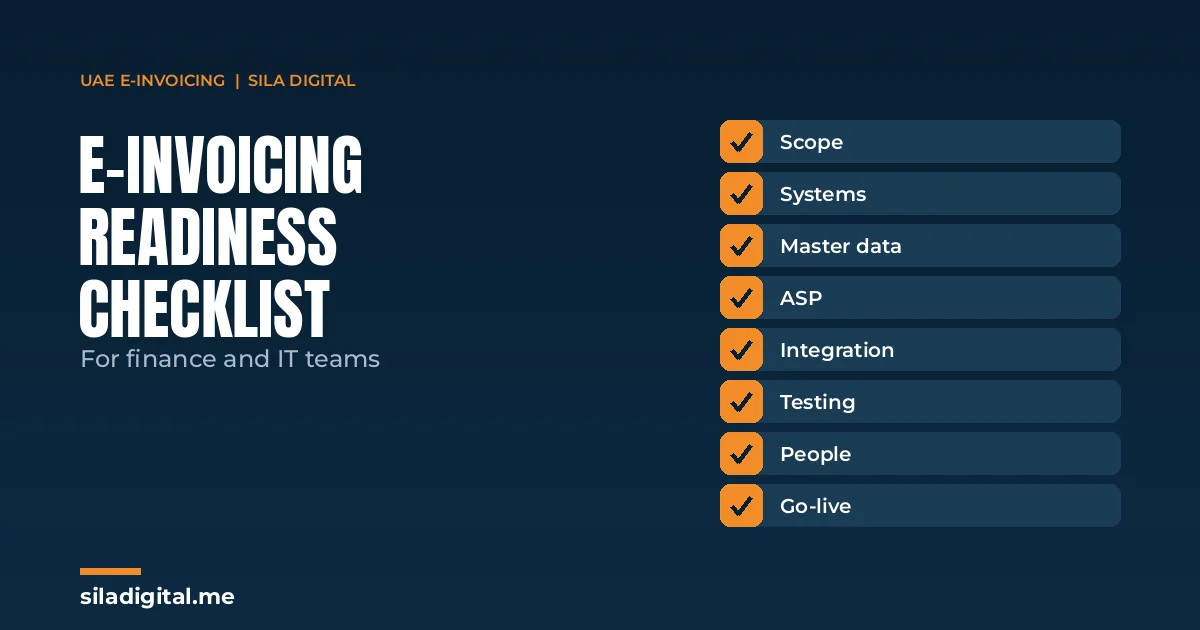
This UAE e-invoicing checklist is for the finance and IT teams who will actually make e-invoicing work, not for the board memo that says it needs to happen. It follows the order the work should be done in: confirm scope, map your systems, clean your data, choose and connect an Accredited Service Provider, test, then go live with monitoring in place.
Large businesses (annual revenue of AED 50 million or more) must be live from 1 January 2027. Everyone else follows on 1 July 2027, and government entities on 1 October 2027. Each phase has an earlier deadline for appointing an ASP. Our guide to the UAE e-invoicing deadline covers the dates in full; this article is about what to do between now and yours.
This guide reflects the Ministry of Finance decisions as published at the time of writing. Operational rules have been amended more than once during 2026, so confirm current requirements with your ASP or tax adviser as part of implementation.
Stage 1: Confirm your scope
Before anyone talks to a provider, agree internally on what is in scope. The answers decide your deadline, your budget and how many systems the project touches.
- Calculate annual revenue for each legal entity and confirm which phase each entity falls into. Groups often have entities in both phases.
- List the transaction types in scope: business-to-business and business-to-government invoices and credit notes, including those involving non-resident parties.
- Note which transactions are outside the current phases, such as business-to-consumer sales, so they are deliberately excluded rather than forgotten.
- Check whether any group relief or exclusion applies to transactions between related entities, and confirm the position with your tax adviser.
- Record the outcome in a one-page scope note that finance, IT and leadership all sign off.
Stage 2: Map every system that touches an invoice
E-invoicing applies to the invoice, not to the system that produced it. Most businesses discover more invoicing systems than they expected.
- List every system that issues invoices or credit notes: the main ERP, secondary accounting packages, billing platforms, industry systems and any spreadsheet-based process.
- List every point where supplier invoices are received and approved. From your go-live date they will arrive as structured data through your ASP.
- For each system, note the version, who supports it, whether the vendor offers an e-invoicing connector, and how invoices currently leave it (print, PDF, email, export).
- Identify manual steps: invoices edited after export, VAT corrected by hand, credit notes raised outside the system. Each is a risk once the PDF is no longer the legal document.
Stage 3: Audit the master data
This is where most of the work is, and it belongs to finance as much as IT. An e-invoice is a structured data file in the PINT AE format, the UAE profile of the Peppol international invoice standard. Your ASP validates every file before it is accepted. Data that a person used to fix on the PDF will now be rejected.
- Customer and supplier tax registration numbers: present, correctly formatted and current.
- Legal names and addresses that match registration records.
- Item and service codes that are consistent across systems and entities.
- VAT categories and rates applied correctly at line level, not adjusted manually after the fact.
- Credit notes that reference the original invoice.
- Currency, payment terms and any other mandatory fields your ASP specifies for PINT AE.
Run the audit on a real sample: the last three months of invoices from each system. The error rate in that sample is the best predictor of how many rejections you will see in the first month after go-live.
Stage 4: Choose and appoint an ASP
Every in-scope business must exchange e-invoices through an Accredited Service Provider approved by the Ministry of Finance. You cannot connect to the FTA directly. Appointing an ASP means more than signing a contract; it means being registered on the network and able to send and receive.
Questions that separate providers in practice:
- Do they have a ready connector for each of your systems, or will the integration be built from scratch?
- What does onboarding look like, and who does what: their team, yours, or a third-party integrator?
- How do they handle multiple entities, multiple currencies and credit notes?
- How are rejections reported, and how quickly?
- What test environment do they provide, and can you exchange test invoices with real trading partners before go-live?
- What happens to your data and access if you change provider later?
Price matters, but a provider that leaves the integration entirely to you is rarely the cheaper option once internal time is counted.
Stage 5: Build the integration
The integration is the connection between each invoicing system and the ASP. Depending on your systems it may be a native connector from your ERP vendor, a plugin or adapter supplied by the ASP, an API integration built for your setup, or a file-based exchange for older systems. Our guide to connecting your ERP to an ASP covers the options in more detail.
- Map every PINT AE field to its source in your system, and document the mapping.
- Decide where validation happens before the invoice leaves your system, so obvious errors are caught early.
- Build the inbound flow as well as the outbound one: how received e-invoices reach your approval workflow.
- Agree how rejections come back into the system and who fixes them.
- Plan for every issuing system identified in Stage 2, not just the main ERP.
Stage 6: Test with real data
Desk reviews do not find the problems that cause go-live rejections. Real exchanges do.
- Send test invoices and credit notes end to end through the ASP’s test environment, using real customer data.
- Exchange at least one test invoice with a real customer and receive one from a real supplier.
- Test the awkward cases: credit notes, multi-currency, multi-entity, partial invoices and corrections.
- Measure the rejection rate and fix the data or mapping behind each rejection before go-live.
Stage 7: Prepare people and processes
- Name one owner in finance and one in IT, with a shared go-live date.
- Train the finance team on the new issue-and-receive workflow, including what to do when an invoice is rejected.
- Tell key customers and suppliers when you will be live and confirm they are ready to receive.
- Update month-end routines that rely on batching invoices or editing them after issue.
- Agree who monitors rejections and exceptions daily in the first weeks.
Stage 8: Go live and monitor
Go-live is a starting point. Plan for a hyper-care period of four to six weeks in which rejections, exceptions and supplier queries are reviewed daily. Track the rejection rate weekly; a falling rate means the data is improving, a flat one means a mapping or master-data problem is still open.
Keep the scope note, system map, field mapping and test results together. When the Ministry amends the rules, as it has during 2026, you will need to know quickly which systems and fields are affected.
Common gaps we see
- Ownership split across teams. Tax owns the rules, IT owns the systems, and nobody owns the date.
- Only the main ERP in scope. A billing platform or a subsidiary’s accounting package is discovered late.
- Receiving forgotten. The outbound flow is ready; supplier invoices have nowhere to go.
- Testing on sample data only. Real customer records surface problems that clean test data never does.
- ASP chosen on price alone. The integration effort then lands on the internal team.
Where we help
Our team works on the part of e-invoicing between your business systems and your ASP: readiness assessment, data mapping to PINT AE, the connection between your ERP or accounting software and the provider, testing and go-live support. We work alongside your chosen ASP and your tax adviser; we are not an ASP ourselves.
Frequently asked questions
What is the first step to prepare for UAE e-invoicing?
Confirm which phase each of your legal entities falls into, based on annual revenue, and list every system that issues or receives invoices. That scope decides your deadline and the size of the project.
How long does e-invoicing readiness take?
It depends on how many systems are involved and how clean the master data is. A single modern ERP with clean data can be ready in weeks; several systems or poor data can take months. Start with the data audit to find out.
Do we need an ASP if our accounting software is e-invoicing ready?
Yes. Software readiness means your system can produce the required data. Every in-scope business must still exchange invoices through an Accredited Service Provider approved by the Ministry of Finance.
Does e-invoicing apply to invoices we receive?
Yes. From your go-live date you must be able to receive e-invoices through your ASP as well as issue them, so your approval workflow needs to handle structured incoming invoices.
Who should own the e-invoicing project?
Finance and IT jointly, with one named owner on each side and a shared go-live date. Projects owned by one team alone tend to miss either the system work or the data work.
Want to know how much work is in front of you?
On a discovery call we will walk through your systems, your phase and a sample of your invoice data, and give you a realistic picture of the work between now and your deadline.
Prefer email? Write to hello@siladigital.me.