
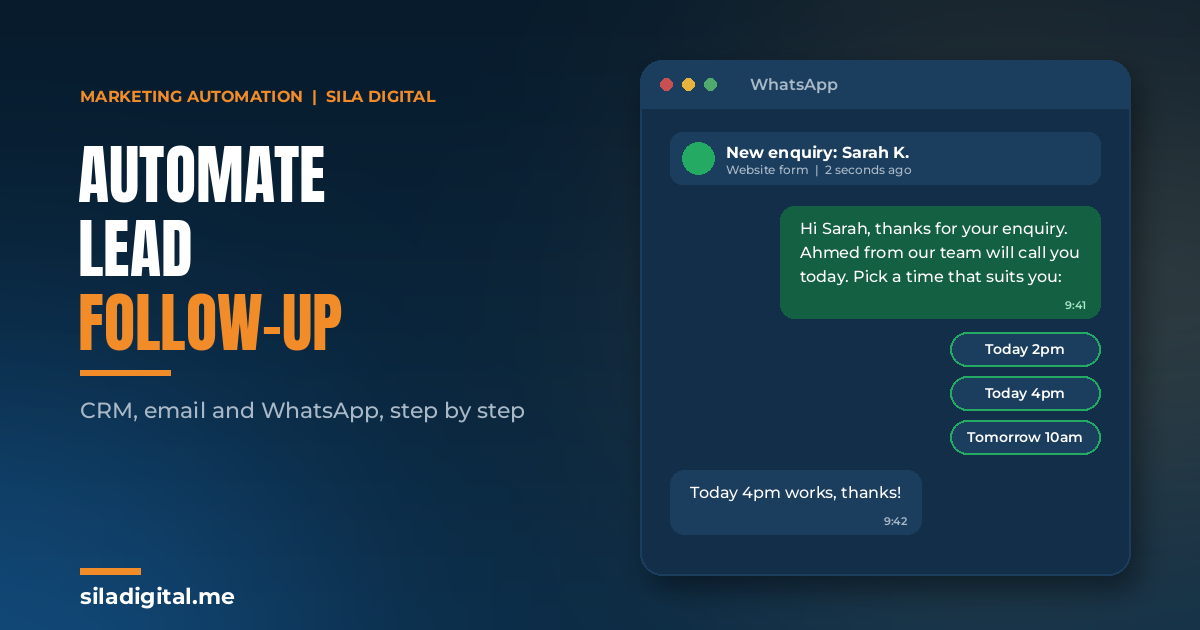
If you automate one thing in your marketing, automate lead follow-up. The minutes after an enquiry arrives are the most valuable in the whole customer journey, and in most businesses they are left to whoever happens to check the inbox. This guide builds the follow-up workflow step by step: what triggers it, what it sends, who it alerts, what it does when nobody acts, and which tools connect the pieces.
It applies to any business that generates enquiries: a brokerage, a clinic, a real estate agency, a B2B service firm or an online store with a contact form. The channels change slightly; the structure does not.
Why speed to lead matters
Speed to lead is the time between an enquiry arriving and the first meaningful contact. It is one of the strongest predictors of whether a lead converts, for a simple reason: the prospect is still thinking about the problem, still has the browser tab open, and has often sent the same enquiry to two or three competitors. The first useful reply usually wins the conversation.
Most businesses have never measured it. The first task is to find out what yours is. Submit a test enquiry on your own website on a Thursday evening and time the response. That number is the baseline the workflow below is designed to beat.
The workflow in one picture
| Step | What happens | When |
|---|---|---|
| 1. Capture | Enquiry lands in the CRM with its source recorded | Immediately |
| 2. Confirm | Personalised confirmation by email and WhatsApp: what happens next, who, when | Within 1 minute |
| 3. Qualify | One or two questions by WhatsApp or form logic; lead scored | Within 1 minute |
| 4. Alert | Right salesperson notified with lead details and score | Within 1 minute |
| 5. Remind | If no call logged, reminder to the rep, then escalation to the manager | After 1 hour, then 4 |
| 6. Nurture | If not ready, a short sequence of useful messages | Days 2 to 14 |
| 7. Re-engage | If silent, one helpful message; reply routes back to sales | Day 30 and 60 |
Step 1: capture everything in one place
Follow-up cannot be automated if enquiries live in five places. Every source, website forms, Meta and Google lead forms, WhatsApp, chat widgets, landing pages, even inbound email, should create a contact in the CRM with the source recorded. Meta lead forms are the most common gap: leads sit in a downloadable list until someone remembers. Connect them directly.
Record the source as a field, not in a note. It is what lets you report cost per client by channel later.
Step 2: confirm within a minute, and say something useful
The default auto-reply (“Thanks, we will be in touch”) tells the prospect they are in a queue. A good confirmation sets an expectation and meets it. Three lines are enough: what happens next, who will contact them, and when. Send it on email and, where consent exists, on WhatsApp, because WhatsApp is where UAE customers actually read.
For regulated businesses, this message is a template approved by compliance once, not something a rep writes on the day.
Step 3: qualify without adding friction
Keep the form short and ask the qualifying question in the follow-up. A single WhatsApp message (“To point you to the right person, is this for a personal account or a company?” or “What budget range are you considering?”) does the job, and the answer is written into the CRM. Add simple lead scoring: points for the source, the answer, and any high-intent action such as a pricing page visit. The score decides who sales calls first.
Step 4: alert the right person
Routing rules send the lead to the right salesperson by product, area, language or round robin, with the contact details, source and score in the notification. Sales should receive the alert on the channel they actually watch, which is usually WhatsApp or a chat tool, not email.
Step 5: remind, then escalate
This is the step most businesses skip and the one that recovers the most revenue. If no call or message is logged against the lead within an hour, the rep gets a reminder. If nothing is logged within four hours, the manager is told. The lead never sits unattended because one person was in a meeting.
Step 6: nurture the ones who are not ready
Some prospects enquire early. A short sequence over two weeks, useful content, a relevant case study, a question, keeps them warm without pestering them. Every message needs an exit: the moment they book a call or buy, the sequence stops. Frequency caps keep the inbox sane when several flows overlap.
Step 7: re-engage the ones who went quiet
At 30 and 60 days of silence, one helpful message, not a discount. A reply routes the contact straight back to sales. No reply after the second message means the lead is parked, which stops it costing attention.
A worked example: a clinic enquiry at 8pm
A patient sees an Instagram post about a dermatology clinic at 8pm and submits the enquiry form on the website. The CRM records the contact with Instagram as the source. Within a minute, she receives a WhatsApp message confirming the enquiry, naming the treatment she asked about, and offering three available consultation slots for the following days. She picks one; the booking is created, a confirmation is sent, and the front desk sees it when they open at 9am.
Two days before the appointment, a reminder goes out with a one-tap reschedule link. After the visit, a thank-you message with aftercare notes and a review link. Six months later, a recall prompt for a follow-up check.
Nobody at the clinic touched any of it until the morning after the enquiry. The same structure, with different messages, runs for a broker’s demo signup, a property brochure request or a B2B consultation form.
The tools that connect the pieces
You need four capabilities, which may live in two tools or five depending on what you already run.
- A CRM to hold contacts, scores and activity. HubSpot, Zoho and Salesforce are common for service businesses; Klaviyo covers the role for e-commerce.
- WhatsApp automation on the WhatsApp Business Platform, for confirmations, qualification and alerts. Platforms such as Double Tick, or the WhatsApp features inside Brevo and similar tools, handle templates, consent and two-way conversation and log every message to the CRM.
- Email automation for confirmations and nurture, usually built into the CRM or a tool such as Brevo or Klaviyo.
- A connector such as Make or Zapier for anything that does not talk natively: a lead form to the CRM, a CRM event to a chat alert, a form answer to a score.
Tool choice matters less than clean data and clear ownership. Most workflows that “stop working” broke because a field was renamed, a template expired or nobody owned the quarterly review.
Consent and compliance
WhatsApp messages need opt-in, and the platform enforces template approval for business-initiated messages. Email needs a lawful basis and a working unsubscribe. In regulated sectors every automated message is a marketing communication and goes through the same review as an ad. Build consent capture into the form and the first message, and keep the record in the CRM.
How to measure it
- Speed to lead: median minutes from enquiry to first human contact. Aim for under five during working hours.
- Contact rate: share of leads that get a human conversation within 24 hours.
- Lead-to-meeting rate: share that reach a call, viewing or consultation.
- Pipeline influenced: deals touched by the workflow before closing, from CRM reporting.
- Unsubscribe and complaint rate: the early warning that a flow is too aggressive.
Build it, run it for thirty days, read the numbers, fix what they tell you. One workflow that runs reliably outperforms ten that were launched together and never reviewed.
Frequently asked questions
How fast should a business respond to a web enquiry?
Within five minutes during working hours is a good target, and an automated confirmation should go out within one minute at any hour. The human contact can follow; the acknowledgement should not wait.
Can I automate WhatsApp follow-up legally?
Yes, with the prospect’s opt-in, approved message templates for business-initiated messages, and a record of consent in the CRM. The WhatsApp Business Platform enforces the template rules; your own compliance rules apply on top in regulated sectors.
Do I need a CRM to do this?
In almost every case, yes. The CRM is where contacts, scores, consent and activity live, and it is what the workflow acts on. If you do not have one, choosing and setting one up is step one.
Which tools do I need for lead follow-up automation?
A CRM, WhatsApp automation on the WhatsApp Business Platform, email automation and usually a connector such as Make. Common choices include HubSpot, Zoho, Klaviyo, Brevo and Double Tick, but the right combination depends on what you already run.
What if the lead is not ready to buy?
Route them into a short nurture sequence of useful messages with a clear exit when they book or buy, then a light re-engagement at 30 and 60 days. The goal is to stay useful, not to chase.
Not sure where your leads are going quiet?
On a discovery call we will map your enquiry sources, measure your current speed to lead, and show you the first workflow that would recover the most.
Prefer email? Write to hello@siladigital.me.